
December 9, 2025 |
 |
Building a Powerful Online Presence: Essential Tools Beyond Website Builders |
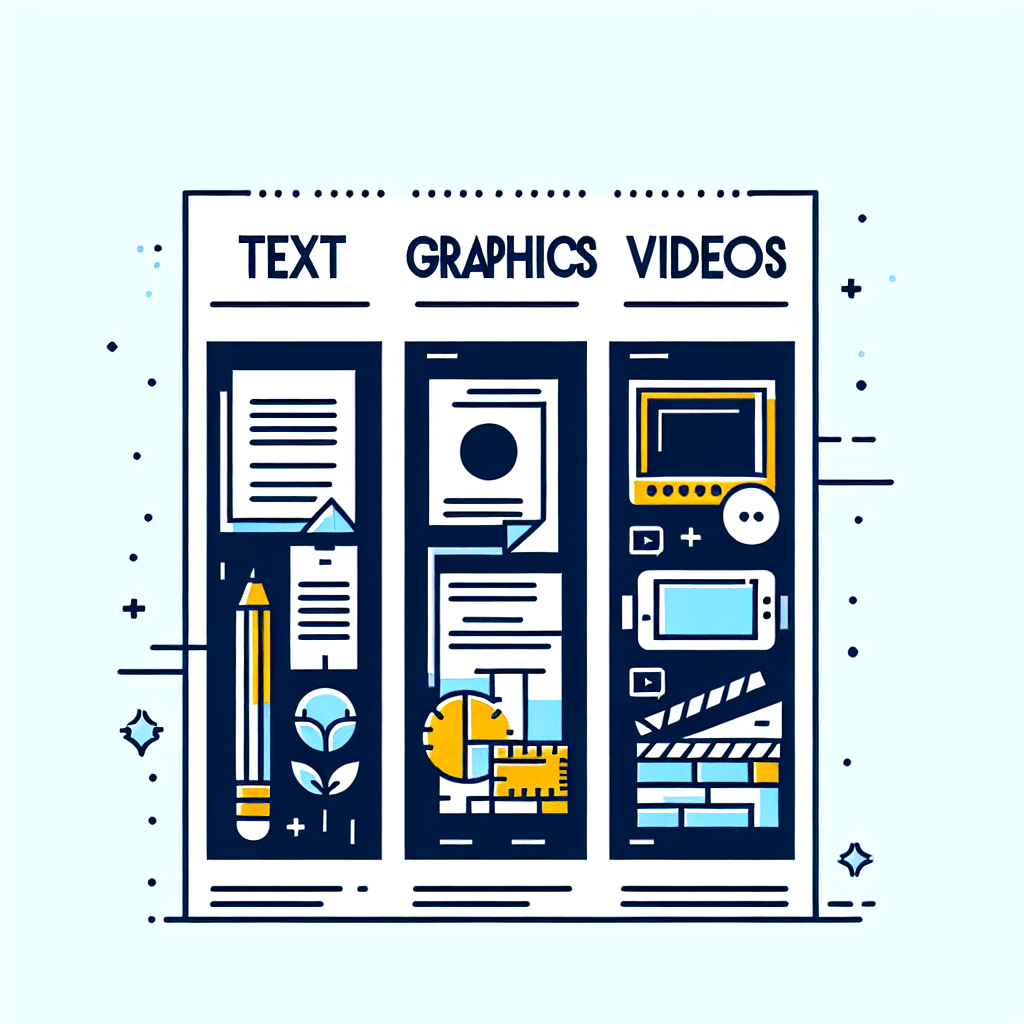
While mobile-first website creation platforms provide the foundation for your online presence, creating truly compelling and competitive digital content requires a comprehensive toolkit. Here's an expanded guide to the essential software categories and specific tools you'll need:
1. TEXT CONTENT CREATION & MANAGEMENT
Integrated AI Writing Assistants
- ChatGPT/GPT-4: Generate blog posts, product descriptions, email campaigns, and social media content. Can brainstorm ideas, outline articles, and create first drafts quickly. - Jasper.ai: Specialized AI for marketing copy, including SEO-optimized content, ad copy, and brand voice consistency. - Grammarly: Real-time grammar checking, tone detection, plagiarism detection, and writing style improvements. - Copy.ai: AI-powered copywriting for headlines, CTAs (calls-to-action), and marketing materials. - Hemingway Editor: Analyzes readability, highlights complex sentences, and suggests improvements for clearer writing.
Basic Text Applications
- Notepad/TextEdit: Quick note-taking, code snippets, and plain-text drafting without formatting distractions. - Notepad++: Advanced text editor with syntax highlighting, perfect for editing HTML/CSS or managing multiple documents. - Sublime Text: Powerful text editor for content creators who work with code and text simultaneously.
Office-Style Products
- Microsoft Office Suite (Word, Excel, PowerPoint): Industry-standard for professional documents, data management, and presentations. - Google Workspace (Docs, Sheets, Slides): Cloud-based collaboration, real-time editing, easy sharing, and accessibility from any device. - LibreOffice: Free, open-source alternative with full compatibility with Microsoft formats. - Notion: All-in-one workspace combining documents, databases, wikis, and project management. - Evernote: Note organization, web clipping, and cross-device synchronization for content research.
Content Management & Organization
- Scrivener: Long-form content creation tool for ebooks, guides, and extensive blog series. - Airtable: Database-meets-spreadsheet for content calendars, editorial planning, and asset management. - Trello/Asana: Project management tools for organizing content workflows and team collaboration.
2. GRAPHICS & VISUAL CONTENT CREATION
AI-Powered Image Generation
- DALL-E 3 (via ChatGPT Plus): Generate custom images from text descriptions, perfect for unique blog headers, social media graphics, and conceptual illustrations. - Midjourney: High-quality, artistic AI-generated images with specific style controls. - Stable Diffusion: Open-source image generation with complete control and customization options. - Adobe Firefly: AI image generation integrated with Adobe's creative ecosystem.
Design & Editing Platforms
- Canva: - Drag-and-drop interface with thousands of templates - Social media graphics, presentations, infographics, logos - Brand kit for consistent colors, fonts, and logos - Free and Pro versions available - Built-in photo editing and animation features
- Adobe Creative Suite: - Photoshop: Professional photo editing, compositing, and graphic design - Illustrator: Vector graphics, logos, icons, and scalable illustrations - InDesign: Layout design for ebooks, PDFs, and print materials - Express: Mobile-friendly, simplified version for quick designs
- Figma: Collaborative interface design, prototyping, and graphic creation (particularly for web/app design).
- Affinity Designer/Photo: One-time purchase alternative to Adobe products with professional capabilities.
- Pixlr: Free online photo editor with advanced features.
- Remove.bg: AI-powered background removal for product photos and portraits.
Specialized Graphics Tools
- Ideogram: AI text-to-image tool with excellent typography rendering within images. - Artistry (various platforms): Art-focused generation tools for creative visual content. - Placeit by Envato: Mockup generator for products, t-shirts, devices, and print materials. - Visme: Infographics, presentations, and data visualization. - PicMonkey: Photo editing and graphic design with templates.
Stock Resources
- Unsplash/Pexels/Pixabay: Free high-quality stock photos. - Shutterstock/Adobe Stock: Premium stock images, vectors, and videos. - Flaticon: Icons and vector graphics for web design.
3. VIDEO CONTENT CREATION & EDITING
AI-Powered Video Tools
- Synthesia: - AI avatar-based video creation from text scripts - No filming equipment required - Multiple languages and voices - Perfect for tutorials, training videos, and presentations
- Pictory: Converts blog posts and scripts into engaging videos automatically. - Descript: AI-powered video editing through text transcription—edit video by editing text. - Runway ML: AI video editing tools including background removal, motion tracking, and effects.
Traditional Video Editing Software
- Adobe Premiere Pro: Industry-standard professional video editing. - Final Cut Pro: Professional video editing for Mac users. - DaVinci Resolve: Free professional-grade editing and color correction. - iMovie: User-friendly video editing for Mac/iOS users. - Camtasia: Screen recording and video editing, ideal for tutorials.
Quick Video Creation Tools
- Animoto: Template-based video creation from photos and clips. - InVideo: AI-assisted video creation with extensive template library. - Lumen5: Converts blog content into social media videos. - Canva Video: Video editing within Canva's familiar interface.
Screen Recording & Demos
- OBS Studio: Free, open-source screen recording and live streaming. - Loom: Quick screen recordings with camera overlay, perfect for tutorials and demos. - ScreenFlow: Mac screen recording with advanced editing features.
Animation & Motion Graphics
- Adobe After Effects: Professional motion graphics and visual effects. - Vyond: Animated video creation for explainers and presentations. - Powtoon: Animated presentation and video creator. |
 |
The Power of Widgets in the MobileFirst Platform |
Why Widgets Are Game-Changers for Mobile Development
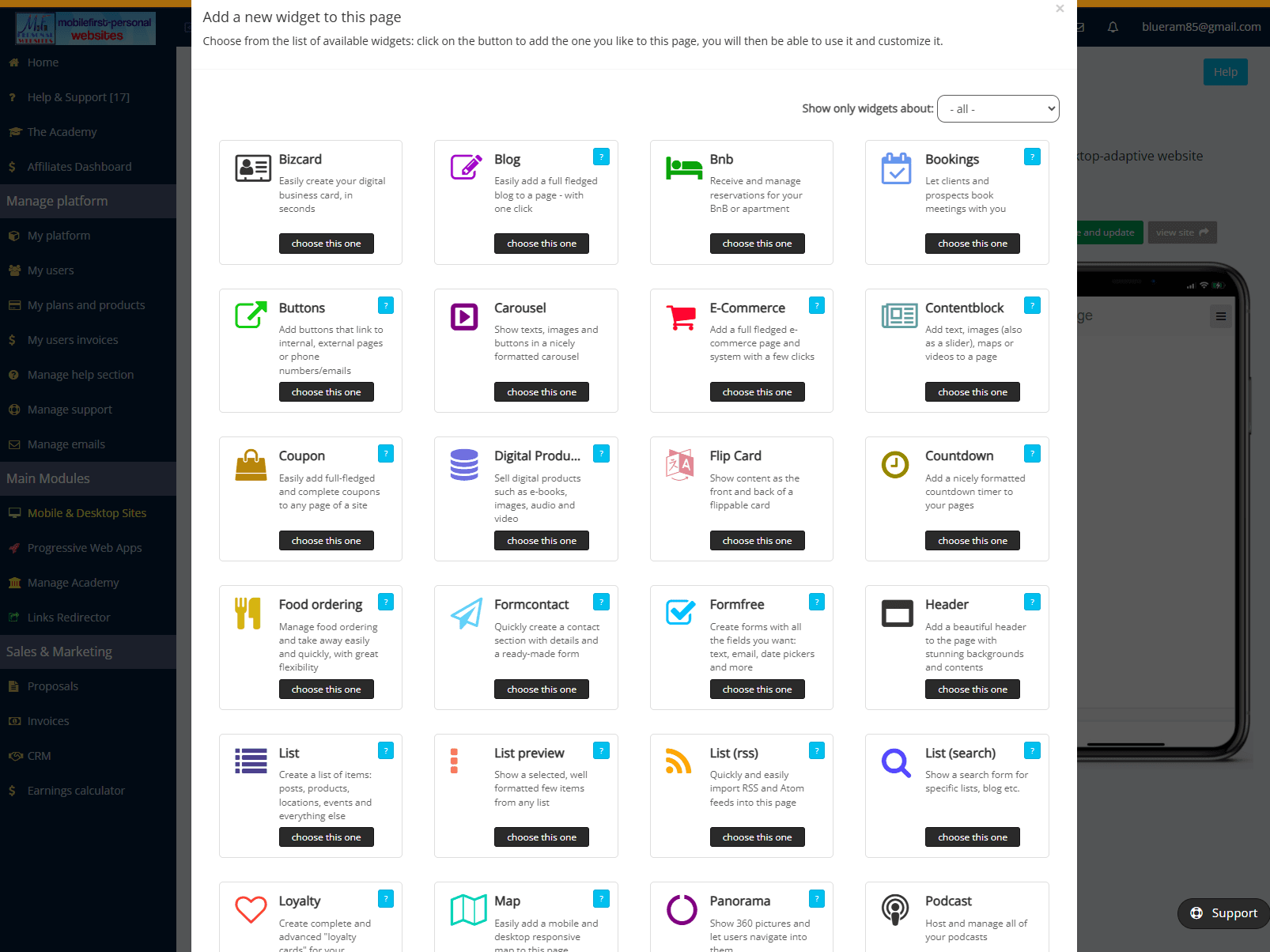
In the MobileFirst-Personal Websites platform ecosystem, widgets serve as the fundamental building blocks that transform complex mobile development into a streamlined, efficient process. These pre-built, reusable components have revolutionized how developers approach mobile application creation, offering unprecedented flexibility and speed.
What Makes Widgets So Powerful?
Widgets dramatically reduce development time by providing ready-to-use UI components. There is no coding or developmental logic required, You, as the webmaster can drag-and-drop functional components, cutting project timelines by up to 60%, all with minimal computer skills required. This rapid development capability transforms what once took weeks implemented by sophisticated web developers into tasks that can be completed in days or even hours by anyone who can fill in a form. No coding required!
Beyond speed, widgets maintain uniform user experience across iOS, Android, and web platforms. One widget adapts seamlessly to different screen sizes and operating systems, eliminating the need for platform-specific coding. This consistency ensures that whether your users access your application from an iPhone, Android tablet, or desktop browser, they receive the same high-quality experience without requiring separate development efforts for each platform.
MobileFirst widgets come pre-configured with security features, performance optimizations, and accessibility standards baked in. This means developers get enterprise-grade quality without the enterprise-level effort typically required to implement such features from scratch. The platform's engineering team has already handled the heavy lifting, allowing you to focus on branding and your business logic rather than infrastructure concerns. When changes are made to a widget, upgrading is transparent and not a problem for the webmaster. Your website remains functional and at the most current version without any effort by the Webmaster.
Widgets offer robust out-of-the-box functionality. They remain highly customizable within the limits of the widget. Developers can modify appearance, behavior, and data binding through simple form entry rather than deep code manipulation. This focus on ready-made functionality and flexibility means you're never locked into rigid designs or forced to compromise your vision for convenience. Often there are multiple widgets that can perform a given task, so your site remains totally flexible.
What Can You Do With MobileFirst Widgets?
The practical applications of MobileFirst widgets span the entire spectrum of mobile development needs. User interface components form the cornerstone of widget functionality. Form inputs with built-in validation eliminate the tedious work of error checking, while navigation menus and tab bars provide intuitive wayfinding throughout your application. Image galleries and carousels showcase visual content beautifully, and modal dialogs and notifications keep users informed without disrupting their workflow. Each of these components works harmoniously with the others, creating cohesive interfaces that feel natural and professional.
Native device features become accessible through widgets that tap into the camera and photo gallery, provide GPS and mapping functionality, enable push notifications for user engagement, and support for inventory or payment applications. These connections to device hardware and system capabilities bring true native app experiences to your MobileFirst applications without the complexity traditionally associated with platform-specific development.
Advanced functionality extends the widget ecosystem that makes interfaces feel intuitive and modern, augmented reality components for immersive experiences, and payment processing integration for commerce applications. These sophisticated features, which might otherwise require specialized expertise or third-party services, become accessible components integrated directly and seamlessly into your development toolkit.
Real-World Applications
In retail applications, developers combine product catalog widgets with payment processing and location services to create complete shopping experiences that rival native apps from major retailers. Field service solutions leverage form widgets alongside signature capture and photo upload components to build comprehensive work order systems that technicians can use in the field, even when connectivity is intermittent while remaining user-friendly. Tradesmen can integrate appointment scheduling widgets with secure messaging.
The Widget Advantage
The true power of widgets lies in their modularity and how this architectural approach transforms the entire development lifecycle. The modularity is part of the entire system as the websites are created as independent but coordinated processes. You can reuse components across multiple projects, dramatically reducing the time and cost associated with new initiatives. When updates are needed, changes can be made centrally and propagated everywhere the widget is used, ensuring consistency and reducing maintenance burden. This approach enables the ability to scale efficiently from prototype to production without the typical friction that occurs when moving from proof-of-concept to enterprise deployment.
Best Practices for Widget Implementation
Success with MobileFirst widgets begins with starting from the framework itself, using standard widgets before investing in integrating third party applications or building custom ones. The platform provides extensive functionality out of the box, and most requirements can be met by configuring existing widgets. When building interfaces, thinking modularly pays dividends by breaking complex interfaces into smaller, reusable widget combinations that can be reconfigured and repurposed as needs evolve.
Performance optimization requires loading widgets only when needed, keeping initial load times fast and conserving device resources. Adaptive design testing ensures widgets adapt properly to all target devices, from small smartphones to large tablets and desktop displays. Finally, documenting any customizations makes future modifications easier, preserving institutional knowledge and preventing the need to reverse-engineer decisions made months or years earlier.
Widgets in the MobileFirst platform represent more than just convenience—they're a strategic advantage over traditional website editing that can differentiate your organization in an increasingly mobile-first marketplace. By leveraging these powerful components, organizations can deliver sophisticated mobile applications faster, with fewer resources, and with greater consistency than traditional development approaches allow. Whether you're building your first mobile app or your fiftieth, widgets provide the foundation for success in today's mobile-first world, enabling teams to focus on innovation and user experience rather than reinventing fundamental functionality.
The question isn't whether to use widgets, but how creatively you can combine them to solve your unique business challenges. As the MobileFirst ecosystem continues to evolve and expand, the widget library grows with it, offering ever more sophisticated capabilities that keep your applications at the cutting edge without requiring constant redevelopment. Organizations that embrace this component-based approach position themselves to respond quickly to changing market conditions and user expectations while maintaining the quality and reliability that users demand. |
Spotlight on the Header Widget |
Add a beautiful header to the page with stunning backgrounds and contents |

Quote Of The Day |
"Mobile users will surpass desktop users very soon. Are you ready?" |
A panel discussion of how the mobile phone is changing how people are moving to mobile purchasing from e-commerce on the larger desktop and laptop style displays. If you are considering creating an online store, watch to see what experts feel are the differences between mobile sales versus other e-commerce models. |
Trivia Question❓What year did Google officially introduce the term "Progressive Web App"? Answer at the bottom of the newsletter |
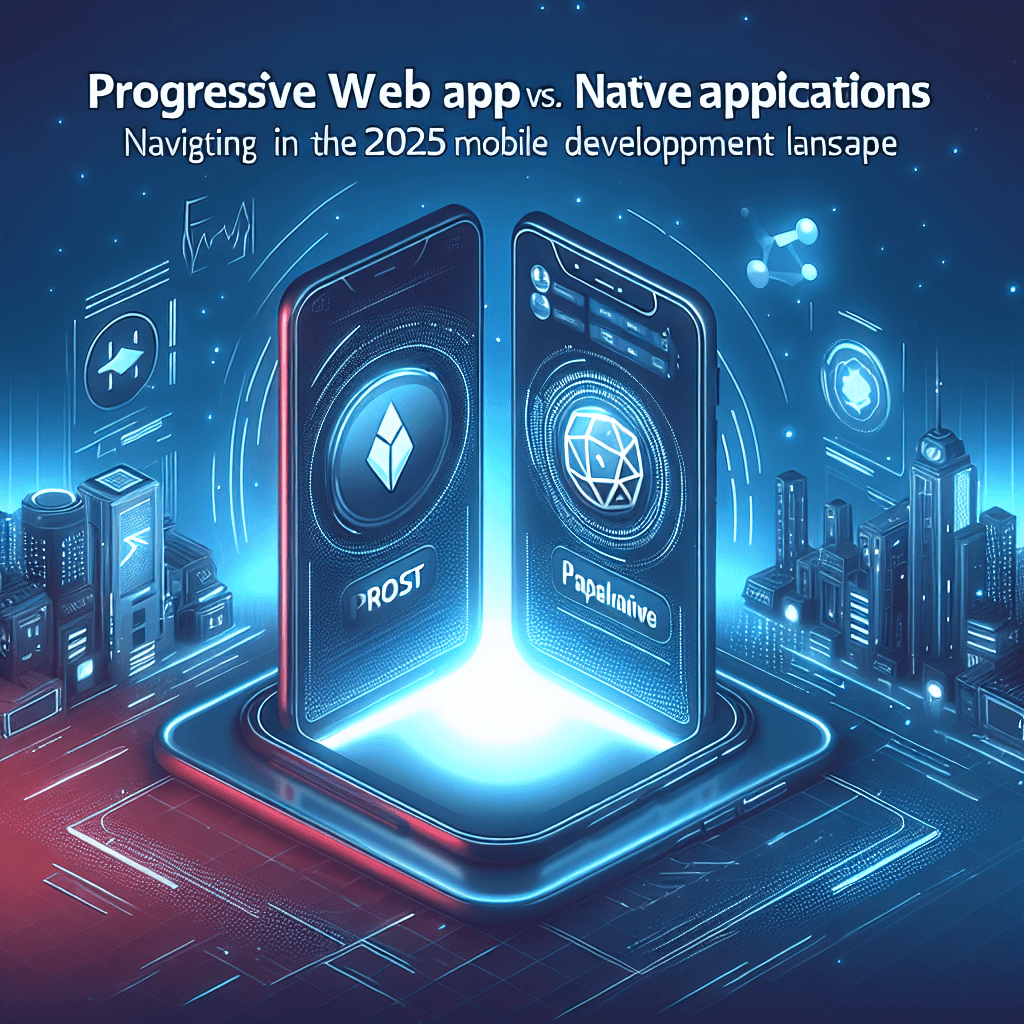 |
In 2025, businesses navigating mobile development must choose between native applications and Progressive Web Apps (PWAs), each offering unique benefits and drawbacks.
Native apps deliver unmatched performance and deep device integration, but often require separate codebases for iOS and Android, leading to higher costs and longer timelines.
PWAs, powered by web technologies, appeal with their single codebase, easy updates, and lower initial investment—companies have saved up to 50% on development.
Yet, PWAs still face hurdles, such as limited device feature access and a perception of weaker security—about 30% of users in 2025 reported less trust in browser-installed apps.
The emerging hybrid strategy combines the strengths of both, allowing core features via native apps and rapid updates through PWA components.
Ultimately, the right path depends on specific business goals, user preferences, and available resources. Read More... |
 |
Apple’s iOS 26 delivers powerful improvements to Progressive Web Apps (PWAs), making web-based apps feel more like native ones.
Users adding a site to their iPhone’s Home Screen now choose between a simple Safari bookmark or a full web app running independently.
If a website supports PWA features, a new toggle appears, letting users install a standalone version that works outside Safari for a more app-like experience.
Web apps with offline capabilities or push notifications offer these functions seamlessly, all without an App Store download.
This change benefits anyone reluctant to install certain native apps—sites like Twitter or specialized services can now deliver a polished, app-style encounter.
Those preferring classic shortcuts can turn off the toggle, preserving flexibility and user choice.
Available now in the iOS 26 beta, this update highlights Apple’s focus on user freedom and innovation. Read More... |
💡 Answer to Trivia Question: 2015. Google engineer Alex Russell coined the term "Progressive Web App" in 2015 to describe web applications that use modern web capabilities to deliver an app-like experience to users. |